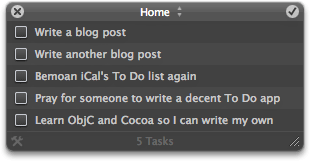
If you use Mac OS X Leopard, you’re probably aware of the Web Clip widget. This is a new type of widget that lets you display part of any Web page right on your Dashboard. To use it, simply visit a Web page in Safari, then click the Web Clip button in the toolbar:

Drag the mouse around to highlight the area of the page you want to capture, then click. You can then fine-tune the area with the resize handles, and click the Add button in the top right (or simply press Return) to create the widget. Now, whenever you switch to your Dashboard, you’ll see that area of your chosen Web page right there in the widget.
If and when the Web page is updated, the widget updates too. This makes Web Clip very useful for any Web page content that gets updated frequently, such as news and sports results pages.
Here are a few tips for using Web Clip:
- You can go back and edit a Web Clip widget. Click the little ‘i’ button in the bottom right corner of the widget to flip it round, then click Edit. The widget flips round again, and you can click and drag with the mouse to reposition the Web page within the widget. You can also resize the widget at the same time. Nice.
- The widget reloads its “page” every time you enter the Dashboard, but you can also reload it at any time by clicking it and hitting Command-R.
- If the page you’re clipping is text-heavy, and you want to make your widget as small as possible, first use Command and – (minus) to make the text smaller in Safari, then clip the page. The widget remembers your selected text size. You can then revert to your normal text size in Safari.
So that’s how you create and use a Web Clip widget. What sort of things can you use this feature for? Here are 6 of my favourite uses for Web Clip:
1. Weather forecasts
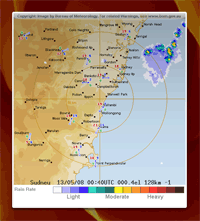
A classic use for Web Clip. Visit the weather forecasting site of your choice – for example, Weather Underground or AccuWeather.com – find the forecast for your local city, and turn it into a widget. Of course, the Mac comes with a built-in Weather widget, but by using Web Clip you can get much more specialized info. For example, I’m in Sydney, Australia, and I like to have the Australian Bureau of Meteorology’s Sydney Radar Loop on my Dashboard, so I can see where the rain is right now:
(By the way, speaking of the BoM, if you happen to be in Australia then check out TheBom Weather Widget – it’s lovely!) (more…)

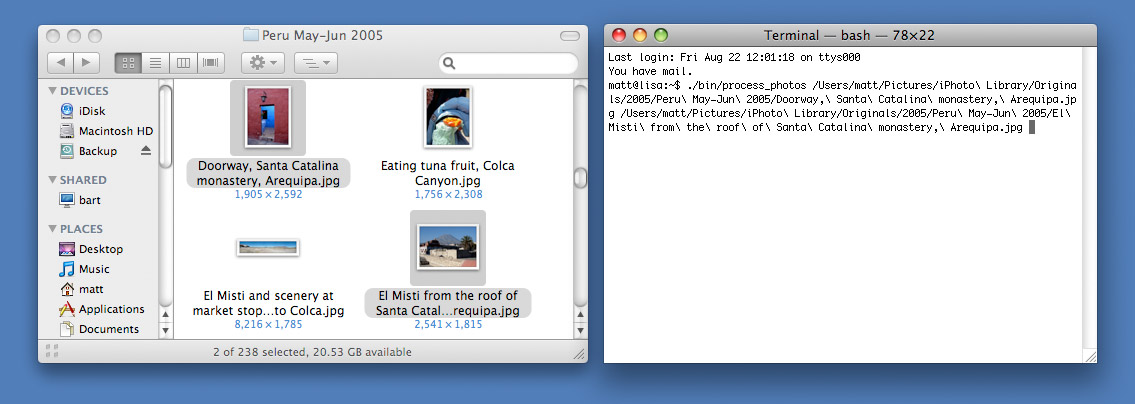
 Here are some quick tips that are handy if you work in a Terminal window a lot (I know I do!). They show various ways to open files and folders right from the command line.

 a pain.