AirPrint to Any Printer with Printopia
June 4th, 2011This looks like a damn useful Mac app if you want to print via your iPhone/iPad and don’t have an AirPrint-compatible printer (i.e. most printers):
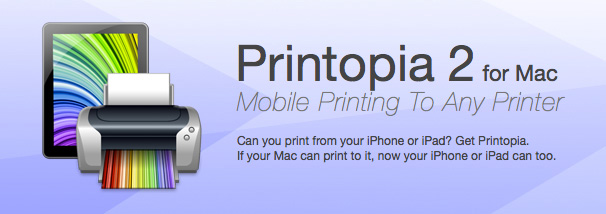
This looks like a damn useful Mac app if you want to print via your iPhone/iPad and don’t have an AirPrint-compatible printer (i.e. most printers):
Dell: “OK Apple, you were right. You do design the best-looking laptops. So rather than trying to innovate, we’ll just copy yours (badly)!”
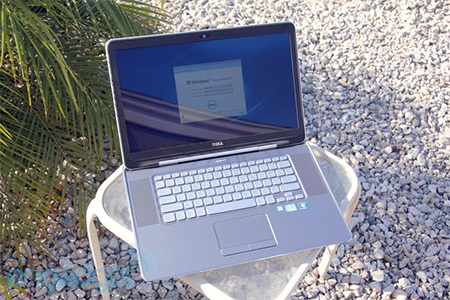
That has to be the ugliest-looking keyboard I’ve ever seen. And those Intel and Windows stickers plastered all over it really add to its sexy appeal. 😉
They must really be getting desperate. Let’s hope Apple doesn’t sue them for copying their innovative style, eh?
[via Daring Fireball]
Ars Technica’s in-depth review of the Motorola Xoom tablet includes this nugget:
Getting music onto the device wasn’t as straightforward as I had hoped. Most Android phones have limited internal storage capacity and are built with the assumption that the user will store media on a microSD card. The Xoom, however, has lots of internal storage and, at the present time, no working microSD slot.
This is an issue because Android typically doesn’t allow the user to mount the system’s internal flash memory as a conventional mass storage device. You can’t just plug the Xoom into a USB port to drag and drop your music onto the filesystem.
The Xoom uses the MTP protocol to expose the user-visible parts of the device’s internal storage to a desktop computer. MTP tends to work pretty well-out-of-the-box on Windows, but Mac OS X users will need to install the Android File Transfer program. Unfortunately, no such application is available for Linux users. If you want to access the Xoom’s internal storage through Linux, your best bet is to try mtpfs, a FUSE-based MTP protocol implementation.
And people moan about iTunes…
Since upgrading my iPhone to iOS 4.2.1 I continually received this annoying popup every time I sent or received email:
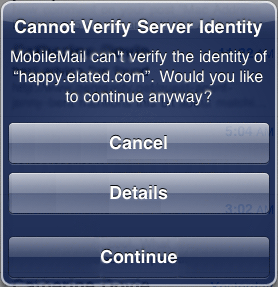
I use SSL for both sending and receiving email, and my mail server uses a self-signed certificate. It sounds like this is a common problem with iOS 4.2.1 and self-signed certificates. Some say it’s a bug, while others say it’s Apple’s intended behaviour with self-signed certs. One thing’s certain – it’s frickin’ annoying!
Anyway, after trying all sorts of things suggested in forums, including wiping my mail settings, rebooting, and so on, I finally came across the solution in this forum post. Here are the steps (slightly modified from Drarok’s post): Read the rest of this entry »
(This one has been driving me nuts for weeks…)
My new MacBook Pro came with iMovie ’09, so I decided to edit some 3-year-old DV tapes of my son that I still hadn’t dealt with. The output quality was really bad – it contained what I can only describe as severe posterization or banding in the shadows, which also had the effect of amplifying the noise in the movie. When I tried the same thing on iMovie ’06 (or “iMovie HD”, to give it its proper name), the result was fine. Here are some stills from that movie:
Original DV footage (click image to enlarge):

iMovie ’06 (Exported with Full Quality option) (click image to enlarge):
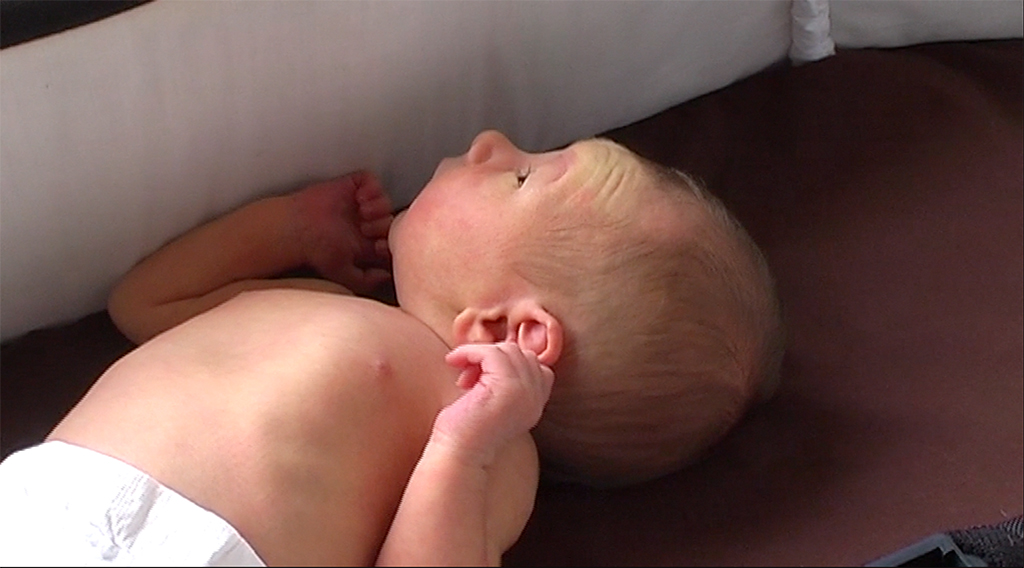
iMovie ’09 (Exported with HD option) (click image to enlarge):
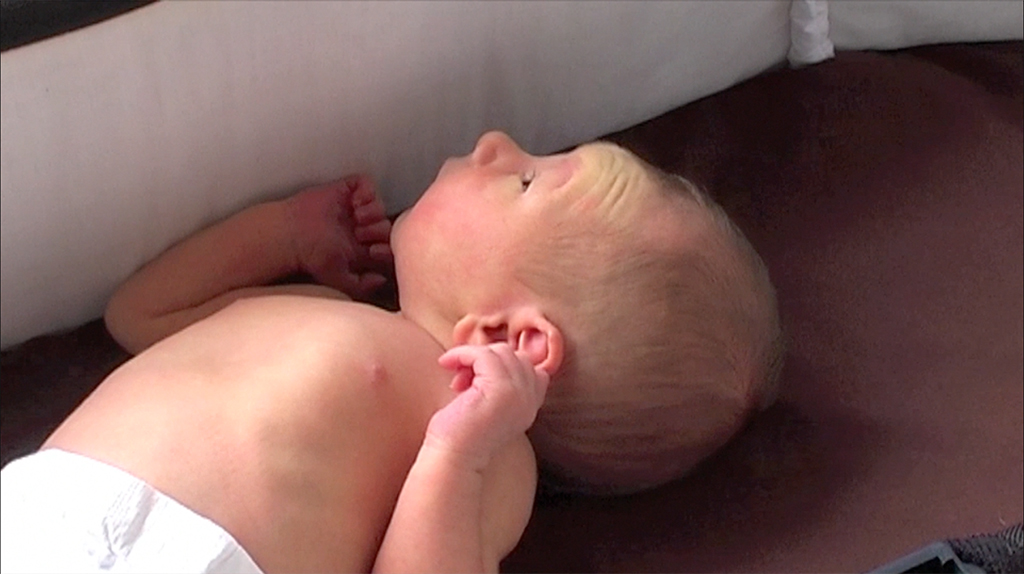
Take a look at the shadow below his head. iMovie ’09 has absolutely butchered (I don’t think that’s too strong a term) the footage. Read the rest of this entry »
I recently started using iMovie ’09 on my new MacBook Pro. Since I had a few unfinished projects in my old iMovie HD (iMovie ’06) on my old iMac, I decided to import them to iMovie ’09 so I could edit them there.
Unfortunately, when you import a DV clip into iMovie ’09 – whether from iMovie HD, or just a raw .dv clip – iMovie ’09 uses the clip’s file creation time as the recording (capture) date/time, not the actual time that the clip was recorded! Very annoying. (I assume that iMovie ’09 uses the correct time if you actually import from a camera, but I haven’t tested that.)
After much digging around, I found a solution to this problem. It’s a bit of a hack, but it works well. Here’s what you need to do:
Read the rest of this entry »
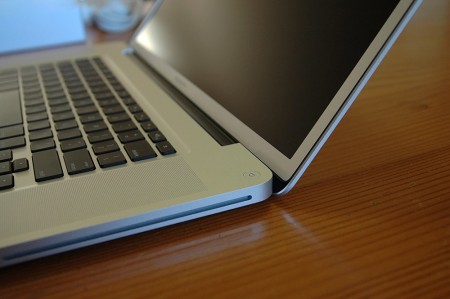
I’ve been wanting to write this review for over a month, but various events such as babies, tummy bugs and flickering screens have got in the way. But all that stuff is (mostly) behind me now. So here are some of my thoughts about my new 17″ MacBook Pro. I hope you enjoy reading them!
As regular readers will know, I recently decided it was time to replace my ageing 2006 Intel iMac 20″ with something more modern and zippy. At the same time, I was being booted out of the office to make way for offspring #2, so I needed to (a) move into the corner of our bedroom with a tiny desk, and (b) have the flexibility to move around (or even outside) the house when the noise of screaming kids became too much.
At the time, many readers recommended I got the 15″ MBP and an external big display, giving the best of both worlds: Portability when I needed it, and a big screen when I was at home. In many ways, this is a great philosophy. However, in my particular case it would mean that I was stuck with a small screen a lot of the time, when I wasn’t in the bedroom. Plus it would mean a huge screen permanently in the bedroom (not wife-compatible). It would also cost more than just a laptop.
So to me, the 17″ MBP seemed, in many ways, the ideal solution: A big enough screen to be a desktop replacement, but a small enough computer to take up minimal space in the bedroom, and also easy to carry into other rooms of the house, the garden, or even a café.
I’ve had the MBP for a couple of months now. Was it the right choice?
The short answer is: Yes, absolutely. The longer answer follows below… 🙂
As I mentioned in my previous post, I bought a refurbished unit, saving myself around AUD $500. Unlike new Apple computers, refurb units are rather unceremoniously boxed (well they have to save money somewhere I guess). In fact, what I assumed was just outer packaging turned out to be the actual box itself, as you can see in the pics below: Read the rest of this entry »
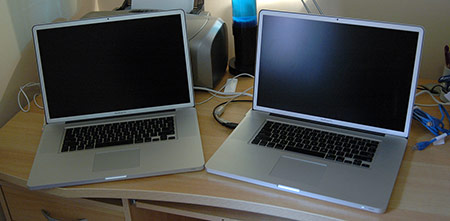
Well, I must first apologize for the recent lack of updates. This is mainly due to our new baby daughter taking up a lot of my time, but it’s also due to a lot of faffing around with my new Mac – a story which I am about to relate!
When I last wrote, I asked the question: What sort of new Mac should I buy? After much discussion and deliberation, I decided to get a MacBook Pro 17″, with a 2.66GHz Intel i7 CPU, 4GB RAM, 5400RPM drive, and – because I’m a bit of a traditionalist – I ponied up the extra cash for the antiglare display. (The glossy just doesn’t do it for me.)
In fact I managed to get a real bargain by waiting patiently for the right model to turn up on Apple’s Refurbished Mac list. When it did, I snapped it up for A$2749 instead of A$3259 for a new model – saving myself A$510. I’d have liked the 7200RPM drive but, apart from that, it was the exact spec I wanted.
Now I must say that I think Apple’s refurbished products are great value for money. I’ve now used 2 refurbished MacBook Pros (more on that later!) and they’ve both been as good as new. There’s been the odd very minor blemish on the case, but nothing that it wouldn’t get within a week of normal use anyway. Both machines have performed solidly without a hitch, hardware-wise.
Anyway, I didn’t want to start reviewing the MacBook Pro – I’ll save that for a later post. The point of this post is to talk about this: Read the rest of this entry »
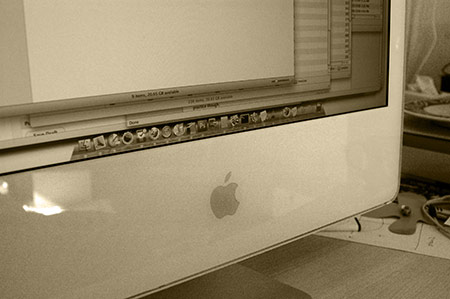
It’s over 4 years since I bought my first Mac: A lovely white iMac Core Duo 20″ (the first Intel iMac IIRC). It’s served me well over the years, but in the last few months it’s really started to slow down. I’ve finally snapped and am in the market for a newer, faster Mac.
But what new Mac to buy? I thought I’d jot down a few thoughts/questions, partly to help me think things through, but also to ask you, the reader, for your opinions. Also I hope this post might be useful for others looking to buy a new Mac.

My trusty iMac 2GHz Core Duo 20″ (2GB RAM) that I bought back in May 2006 is finally getting long in the tooth, I fear. The poor dear now grinds to a halt in daily use. Here’s what I tend to have running, on average:
It just about copes with that (although it can take a second or 2 to switch between apps). But then if I need to open a couple more apps, like
…then it really starts to slow down, with plenty of beachballs.
Then if I fire up WinXP in VMware Fusion 3 to test a website in IE… forget it! Might as well go and make a cup of coffee while it boots the VM.
Painful.
I suspect the main culprit with this old iMac is the 2GB RAM limit. Even before firing up VMware, I’m at about 70% RAM usage according to iStat Menus. Fire up VMware, and stuff starts paging like crazy.
(At the back of my mind, though, is this thought: My iMac was nice and fast when I bought it, so why is it so slow now? I’m still running pretty much the same stuff now as I was back then. I suspect a lot of it is down to VMware Fusion 3 being more power-hungry than my original Parallels Desktop 2, combined with software generally becoming more bloated over time, but I’m not sure.)
For the record, I’m a web designer/developer and use my Mac all day, every day for browsing websites, blogging, coding, browser testing and Photoshop work, plus the usual office type apps. Read the rest of this entry »
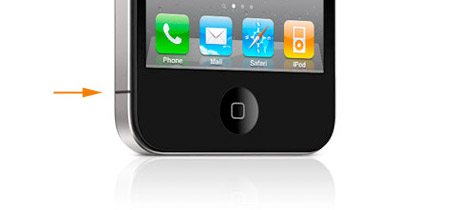
Like many people I’ve been following the iPhone 4 Antennagate issue with some interest, since I’m thinking about upgrading from my old iPhone 3G to the new iPhone 4 when it arrives here in Australia.
I can understand how the old signal strength bars could make people think that the attenuation was bigger than it really is (although 24dB is still a big drop, whichever way you look at it).
I can also appreciate that all phones have antenna weak spots, and although the iPhone 4 attenuation is worse than most, this is counterbalanced by the improved reception overall.
Drawing attention to the weak spot with a black bar – X marks the spot, as Steve Jobs put it – certainly doesn’t help matters.
However, what I don’t understand is is this: Why did Apple put the weak spot where most people would touch the phone when using it? This, to me, is a design flaw.
Look at Apple’s own comparison with other phones’ weak spots. All the other phones have the weak spot on the top or bottom. These areas aren’t normally touched when holding the phone, so the weak spots aren’t a problem. Common sense.
So why didn’t Apple put the weak spot on the top or bottom of the iPhone 4?
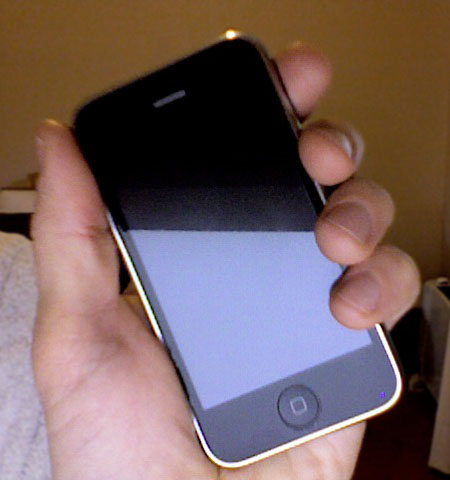
I also don’t understand the whole “don’t hold it that way” thing. Many people on the MacRumors forums seem to think that most people wouldn’t hold a phone with the ball of their thumb touching the bottom left hand corner – unless they’re left handed. I’m right handed, and this is the natural position that I hold my iPhone 3G in when using it (and when making calls):
How else are you supposed to hold it? Like this?
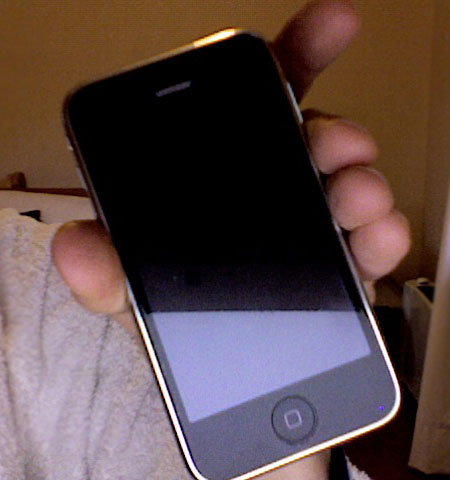
I don’t get it.
I have no problem with a phone’s signal attenuating when held – that is to be expected. What I don’t understand is why Apple put the weak spot in such a commonly-held place on the iPhone 4, then told people to change the way they hold the phone. Just seems like madness.
Maybe someone who knows more about antenna technology than me (not hard!) can explain…?